SEL-5033
acSELerator RTAC Software
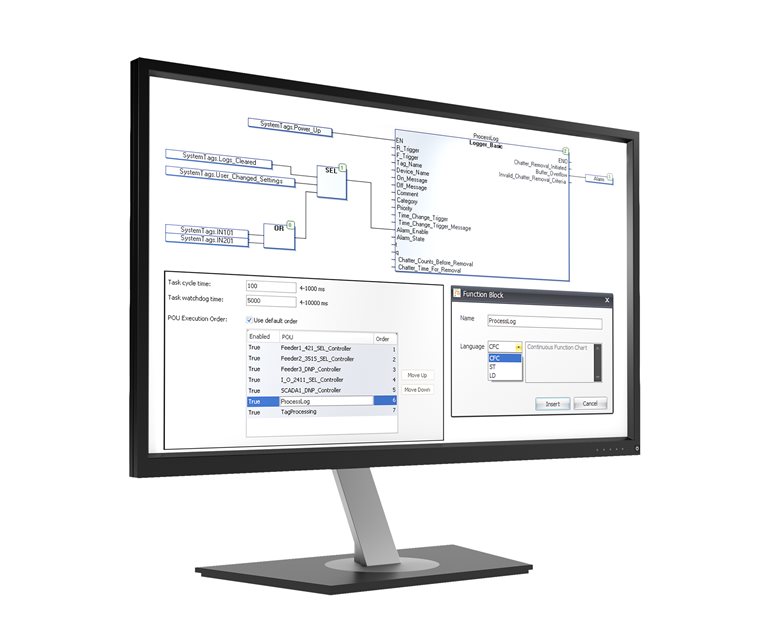
- ACSELERATOR RTAC SEL-5033 is a dedicated software platform for configuring, programming, and managing the SEL Real-Time Automation Controller (RTAC) product family. It provides an integrated environment where engineers can define hardware settings, configure communication protocols, and design automation logic based on the IEC 61131-3 standard. Users can design projects offline and send them to the device, or monitor and control device status in real-time while online.
Key Features
-
IEC 61131-3 Logic Engine
Supports standard programming languages such as Ladder Diagram (LD), Structured Text (ST), and Continuous Function Chart (CFC) to implement flexible and powerful automation logic. -
Integrated Protocol Configuration
Configure client and server settings for various industry-standard protocols, including DNP3, Modbus, IEC 61850, and IEC 60870-5-101/104, within a single interface. -
Tag-Based Data Management
Manages all hardware points and communication data as "tags," enabling intuitive data mapping between protocols and logic integration. -
Project Comparison
Allows for visual analysis of changes or differences by comparing settings, logic, and tag configurations between two different projects. -
XML-Based Extensibility
Projects can be created or modified using XML files, which is advantageous for data integration with external tools and automated generation of large-scale projects. -
Enhanced Cybersecurity
Includes Role-Based Access Control (RBAC), encrypted communication settings, and project integrity verification features.
Convenience features
-
Tag Selector
Efficiently filter and search for specific data tags among a vast number of items to quickly place them into logic or communication maps. -
Online Monitoring and Control
Connect to the device online to view real-time data, force variable values, or debug logic execution in real-time. -
Backup and Restore
Create a single archive file of the entire project for storage or easily migrate project settings to another workstation. -
Shared Server Database
Install the project database on a shared server to allow multiple engineers to collaboratively edit and manage the same project. -
Connection Directory
Systematically manages connection information (IP addresses, security credentials, etc.) for multiple RTAC devices, simplifying the remote access process. -
Start Page
Provides an integrated dashboard for quick access to a list of recent projects, help documentation, and online update news.